
Free digital menu for restaurants
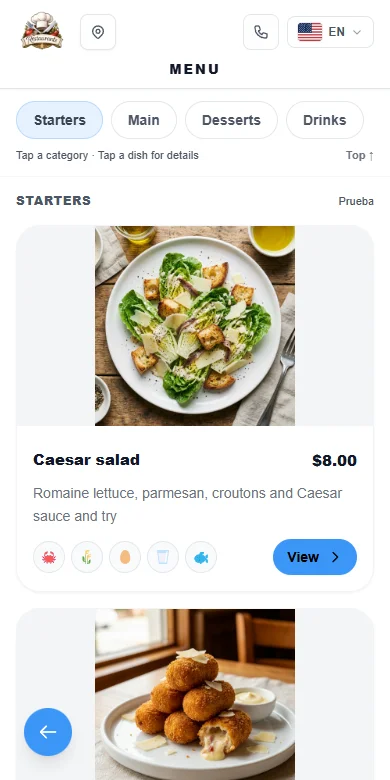
Give guests a menu they can open on their phones. With TheWebXperience, you can publish your dishes, descriptions, and prices, then keep the information up to date from your account.
Free includes one published menu, unlimited menu items, and three languages: your primary language and two additional languages. Your menu uses a text-based layout, a neutral design, and visible TheWebXperience branding.
No monthly plan fee or card required to publish on Free. The free plan is separate from a Starter trial.
Put your menu within reach
A guest at your coffee shop scans the QR code to check drinks and breakfast options. Someone planning dinner opens your menu link before visiting. Both can read the published menu without accessing your management account.
Organize your food and drinks into categories. Describe portion options, variations, and add-ons so guests can understand what each item includes. Free gives you a way to present that information in text, without relying on dish photos.
What the free plan includes
Publish your menu
- Public menu
- One published menu, without scheduled menu switching.
- Saved menus
- Unlimited drafts, with one menu published at a time.
- Appearance
- Neutral design with visible TheWebXperience branding.
Organize your offering
- Catalog
- Unlimited items and categories.
- Item details
- Names, descriptions, prices, variations, add-ons, and availability in text.
- Editing
- Manual updates through your menu management area.
Share it with guests
- Languages
- Your primary language plus two selected languages.
- QR code
- Standard black-and-white QR code, downloadable as a PNG.
Unlimited items refers to the catalog you maintain. It does not mean unlimited AI generation, automated translation, or file storage.
Know the limits before you start
The new Free plan does not display dish photos or your own logo. Custom colors, promotions, scheduled menus, and the customized QR code belong to Starter.
Free can work for a restaurant that needs a straightforward, text-based menu. If photos or your own visual branding are essential, compare the plans before deciding.
Choose one menu for everyday service
A coffee shop might publish drinks and breakfast items together. A food truck might use its regular food and beverage menu. A neighborhood restaurant might keep its everyday dishes in the main menu and save seasonal ideas as drafts.
Free lets you save unlimited drafts and publish one menu at a time. It does not automatically switch between brunch, lunch, and dinner. If you need multiple published menus or scheduling, compare that requirement with Starter.
How to publish your free restaurant menu
Gather your menu information
Prepare item names, descriptions, and prices. Include sizes, variations, and add-ons where they affect what a guest receives.
Review the Free preview
Check the text-based presentation and choose your main menu. A private preview is not a published menu; opening it does not make your menu available to guests.
Choose Free and publish
Select Free to publish your main menu. This choice does not start a Starter trial or require a paid subscription.
Check the guest view and download your QR code
Open the public menu on a phone without signing in as an administrator. Review the content before printing the standard QR code for your tables, counter, or entrance.
After publication, you can correct and maintain the content through your dashboard.
Keep your standard QR code when the menu changes
A dish sells out, a drink changes, or an add-on needs a new price. Update the menu information and check the public version.
You can keep the standard QR code for those content updates as long as the menu address stays the same. Access still depends on the account, menu address, and service remaining available. Downloading a QR image does not create a separately hosted copy of your menu.
If you also use printed menus, check them separately. Updating the digital version will not change prices on paper.
Standard QR code
Standard black-and-white QR code, downloadable as a PNG.
Share your menu in three languages
Choose a primary language and two additional languages that are useful to your guests. Review each version before sharing it.
Pay particular attention to ingredients, portion descriptions, and add-ons. A familiar dish name may need a short explanation in another language. Three available languages do not mean that every edit is automatically translated or that unlimited translation work is included.
You can use Free without subscribing to Starter
Publishing on Free does not automatically start a paid renewal or a Starter trial. You can continue using the free features under the plan terms while your account and the service remain available.
If you later choose Starter, review the terms before subscribing. An eligible trial has its own conditions and is separate from the Free plan.
When Starter access ends, the account returns to Free features: one public menu, three languages, and the basic presentation. The standard QR code remains available. The new customized QR code depends on Starter and may be paused. Existing accounts retain the terms that apply to them.
Frequently asked questions
Start with a menu you can keep current
Publish clear descriptions and reviewed prices, then check the menu on a phone. Choose Free with a clear understanding of its text-based presentation and included features.
Local preview · New Free plan not yet active