

Skip to content

Digital Menu vs. PDF: Which Fits Your Restaurant?

Your menu should be easy for guests to browse and practical for your team to maintain. A PDF can work when the menu rarely changes and reads well on a phone. A web menu can help when you regularly update items, manage multiple languages, or need clearer navigation.

Compare the formats around the work your restaurant actually does.

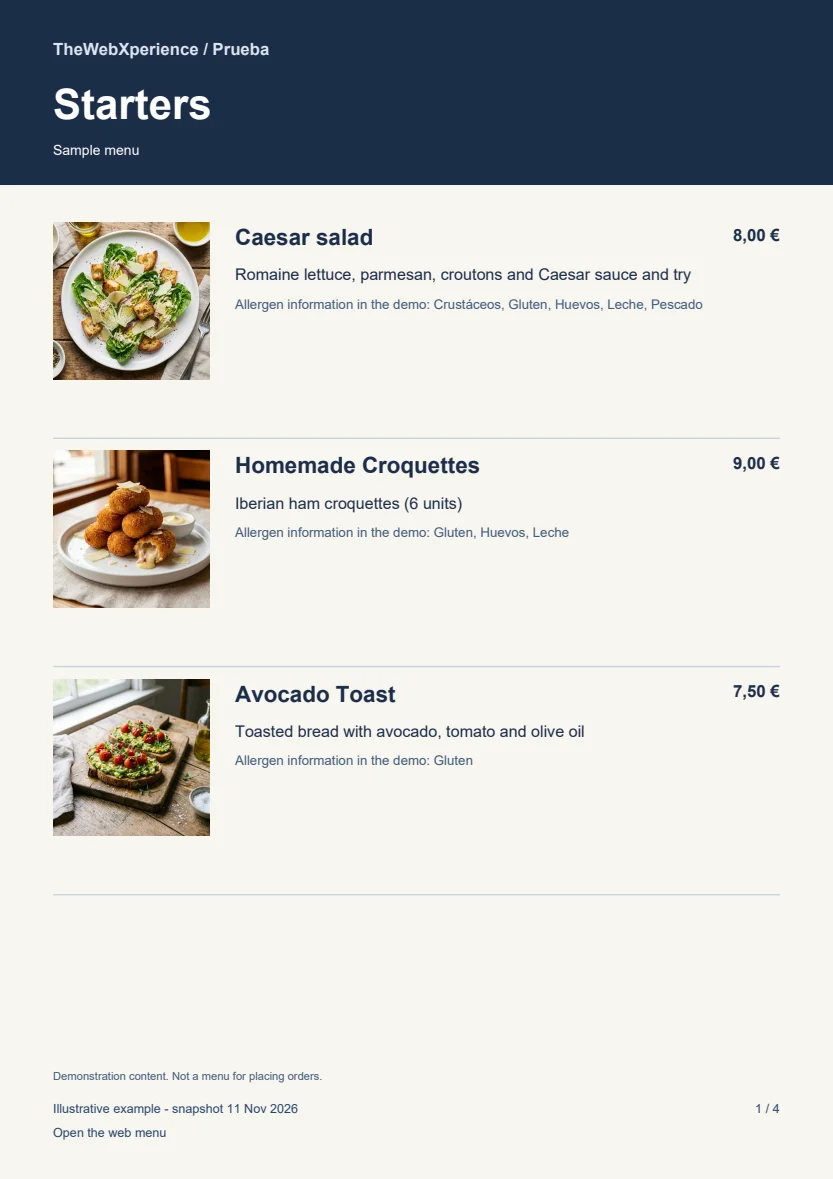
Open the PDF menuPDF
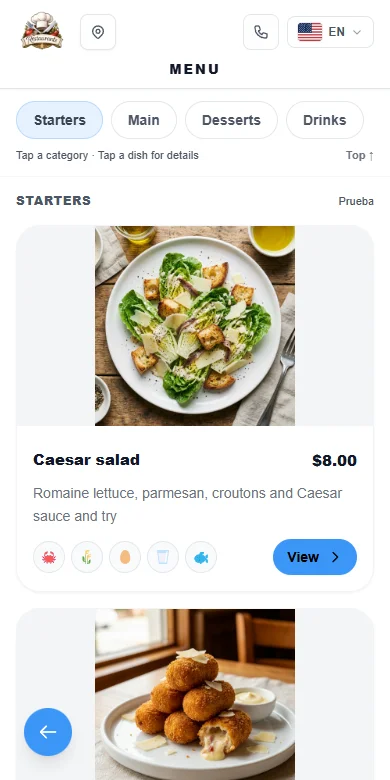
View the digital menuWEB
The sample PDF and web menu open in English.

The QR code is the link. The menu is what guests see.

A QR code can open a PDF or a web page. The difference lies in how the menu is presented and how your team updates it.

A PDF menu is a document you can share and print with a consistent layout. A managed web menu organizes content for a browser and provides whatever editing tools its platform supports.

A PDF is digital too. On this page, “digital menu” means a managed web menu so we can compare the two approaches clearly.

Digital menu vs. PDF: a practical comparison

Digital menu vs. PDF: a practical comparison
What mattersPDF menuWeb-based digital menu
Reading on a phoneDepends on the layout and viewer; print layouts may require zooming.Can adapt text and navigation to the screen when built well.
NavigationMay include an index, links, and searchable text.May offer categories, search, and filters.
LanguagesCombine translations or maintain separate documents.Manage language versions according to platform features.
Food informationInclude it and revise the document when needed.Organize it by item and keep it reviewed.
PhotosPrepare images to keep file size appropriate.Optimize images and how the page loads them.

Web menu features vary by product and plan. Confirm the ones your restaurant needs before choosing a service.

When a PDF menu may be enough

A well-prepared PDF can meet your needs if the menu stays fairly stable, guests can read it comfortably, and updates are straightforward. It is also useful when you want a specific layout for printing or sharing a document.

Create a QR code for my PDF menu
When to consider a digital menu

A web menu is worth evaluating when your restaurant needs to:

  • Change items or availability frequently.
  • Help guests navigate several menu sections.
  • Keep multiple language versions organized.
  • Present item-level information or specific browsing features.
  • Coordinate updates among team members.

Try the same menu in both formats

Open both versions of this sample on your phone. Find a dessert, read an item's description, and return to the drinks section. Compare how the content reads and how easily you find your way around.

Illustrative example using the same content in two formats. It does not represent measured results from a customer restaurant.

PDF prepared from the demo on 11 November 2026. It preserves the sample dishes, photos, prices and allergen information; the web menu may change. This is not an automatic product export.

The sample PDF and web menu open in English.

Scan to open the web menu

How to move from a PDF menu to a digital menu

  1. Gather your current content

    Prepare the latest PDF, original files, and photos you have permission to use. Check which categories and items should remain on the menu.

  2. Add the content and review it

    Use the platform's actual process: manual entry, import, or assisted setup. If automated recognition is involved, check item names, descriptions, prices, and food information. An automated import still needs review.

  3. Check the menu on a phone

    Review navigation, images, links, and each language you plan to publish. Make sure guests can find the correct information.

  4. Check your existing QR codes

    You can keep them if you retain the same address or control a redirect. If a code points to an address you don't control and cannot redirect, you'll need a new code.

  5. Plan how to maintain every version

    Decide who updates the web menu and when PDFs and printed copies are reviewed. A new format does not replace the need for that process.

Open the PDF menu

You can keep a printed menu

Paper can still serve guests who prefer it or cannot use a phone. If you offer both formats, keep their information consistent.

Some platforms export menus to PDF; others require a separate process. Check how printing will work before choosing a tool. Updating the online menu does not change copies that are already printed.

Update your menu, keep your QR

Frequently asked questions

Choose around your next menu update

Think about what you would change, who would make the update, and how guests would see it. Explore TheWebXperience and check whether its available features match those tasks.