

QR code generator for restaurant menus
Paste your menu link, preview your QR code and receive PNG and SVG files by email, ready for your tables.
This tool creates a QR code from a link. It does not upload or publish PDF files.

Your QR code will appear here once you've entered a link and selected ‘Generate QR code’.
Use PNG to add your code to a document or design. Choose SVG if you need to resize it without losing sharpness.
How to make a QR code for your menu
Find your public menu link
Open your menu and copy its web address. For a PDF, check that anyone with the link can view the file. A private browsing window lets you check access without using your account.
Receive your files by email
Check the destination and enter your email. We will send your QR code as PNG and SVG files for your printed materials.
Try a printed sample in your venue
Print one copy and scan it with several phones. Try it from a guest's seat and with the lighting you use during service, including in the evening.
Use a PDF menu with a QR code
If your menu is a PDF saved on your computer, publish it on your website or a service that provides a public link. You can then paste that address into the generator.
Change your menu without replacing the printed QR code
You can update dishes, descriptions and availability while keeping your QR code, provided the menu stays at the same address. A PDF can also be replaced without a new QR code if its hosting service preserves the link.
From restaurant tables to pub gardens
- Restaurant tables: use a clear invitation such as ‘Scan to view our menu’.
- Pub bars and gardens: link directly to the food or drinks menu guests need.
- Café counters and entrances: help guests browse before they sit down or place an order.
Need an online home for your menu?
A QR code needs a public destination. If your menu is still on paper or stored in a file, explore TheWebXperience's digital menu offering and check the features available for your restaurant, pub or café.
Explore the digital menu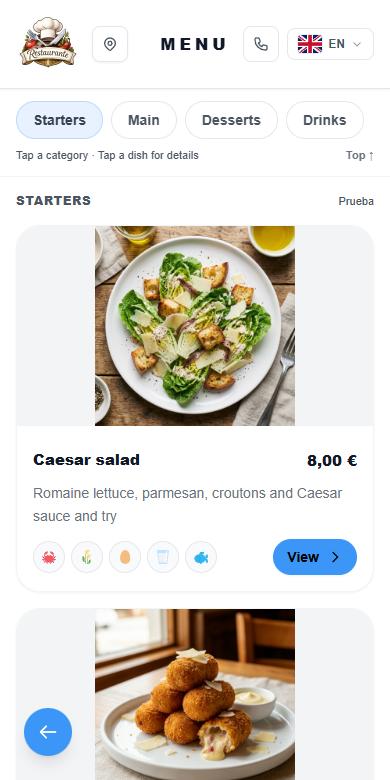
Frequently asked questions
Need a hand?
This tool creates a QR code from a link. It does not upload or publish PDF files.